Computer Basics
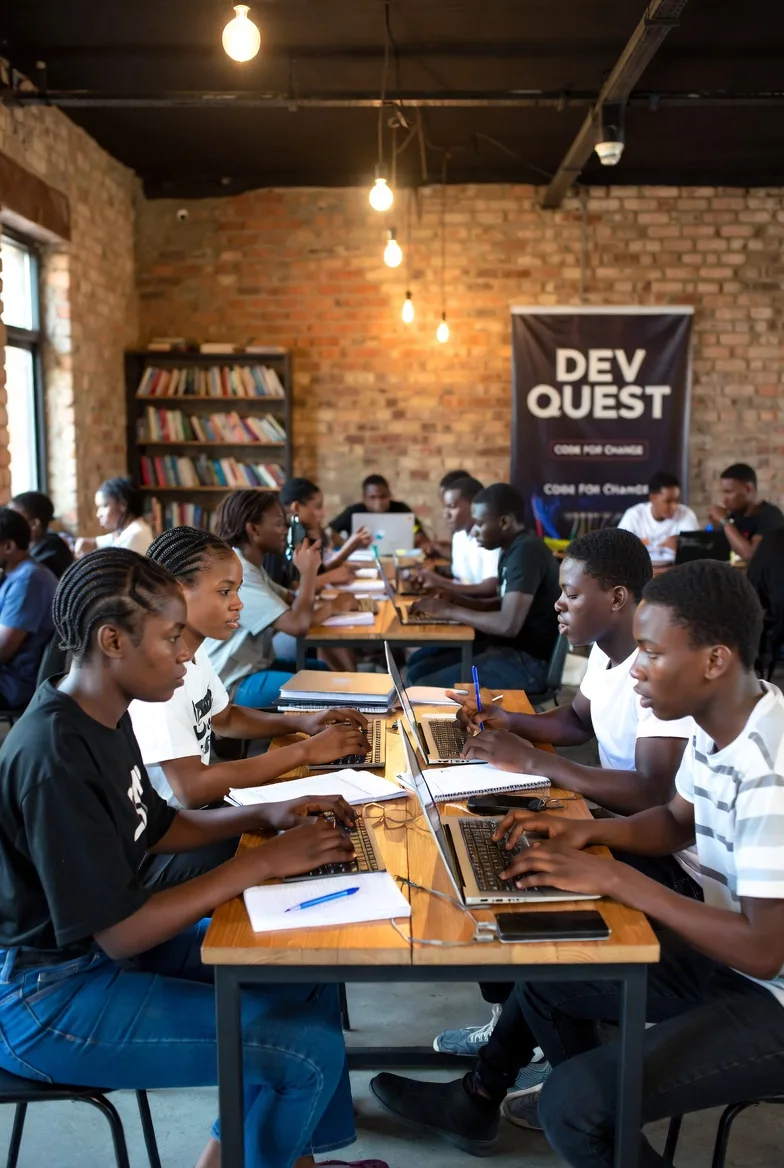
COMPUTER BASICS
Introduction to Computers and Digital Literacy
Course Overview
Computer Basics is an introductory course designed to help learners understand computers, develop essential digital skills, and gain confidence using modern computer systems. It is suitable for beginners with little or no previous computer experience.
The course introduces students to computer hardware, software, operating systems, file management, typing, internet usage, and basic digital productivity. Through guided lessons and practical exercises, learners develop the foundational skills needed for education, employment, business, and further ICT training.
Course Objectives
By the end of this course, students should be able to:
Understand what a computer is and how it works.
Identify the main components of a computer and explain their functions.
Distinguish between computer hardware and software.
Navigate a computer operating system and use its basic features.
Create, organize, copy, move, rename, and delete files and folders.
Develop basic keyboarding and mouse-control skills.
Use common computer applications for everyday tasks.
Understand the fundamentals of internet browsing and email.
Apply basic cybersecurity practices and protect personal information.
Use computers responsibly, safely, and efficiently.
Course Modules
Module 1: Introduction to Computers
Definition and importance of computers
History and evolution of computers
Types of computers and their uses
Applications of computers in education, business, healthcare, and communication
Module 2: Computer Hardware
Main parts of a computer
Input, output, processing, and storage devices
The CPU, RAM, motherboard, and storage drives
Connecting and using basic computer peripherals
Module 3: Computer Software
Understanding software and its categories
System software and application software
Operating systems and their functions
Installing, opening, and closing applications
Module 4: Operating System Fundamentals
Introduction to Windows and desktop environments
Using the desktop, Start menu, taskbar, and windows
Working with menus, settings, and applications
Basic system configuration and troubleshooting
Module 5: File and Folder Management
Creating and organizing folders
Saving, copying, moving, renaming, and deleting files
Understanding file extensions and file formats
Using USB flash drives and external storage
Finding files and managing storage space
Module 6: Keyboarding and Mouse Skills
Identifying keyboard keys and their functions
Typing letters, numbers, and symbols
Using keyboard shortcuts
Mouse clicking, double-clicking, dragging, and scrolling
Developing typing speed and accuracy
Module 7: Introduction to Productivity Applications
Understanding word processing, spreadsheets, and presentations
Introduction to Microsoft Word or compatible alternatives
Basic document creation and formatting
Introduction to Microsoft Excel or compatible alternatives
Creating simple presentations
Module 8: Internet and Email Fundamentals
Understanding the internet and the World Wide Web
Using web browsers and search engines
Finding reliable information online
Introduction to email accounts and communication
Downloading and uploading files safely
Module 9: Computer Security and Responsible Use
Creating strong passwords
Recognizing scams, phishing, and suspicious downloads
Understanding viruses and malware
Protecting personal information
Safe browsing, backups, and responsible computer use
Module 10: Practical Assessment and Final Project
Demonstrating basic computer operation
Creating and organizing a set of files and folders
Preparing and formatting a document
Searching for information online
Completing a practical digital skills assessment
Teaching and Learning Methods
The course combines instructor-led lessons, demonstrations, guided practical exercises, individual assignments, and hands-on computer activities. Students are encouraged to practise each skill on a computer to build confidence and independence.
Assessment
Students may be assessed through practical exercises, short quizzes, assignments, participation, and a final hands-on project. Assessment focuses on the learner's ability to apply computer skills to real-world tasks.
Expected Learning Outcomes
Upon successful completion, learners will have a foundation in digital literacy and be able to operate a computer, manage files, use basic applications, browse the internet, communicate through email, and follow essential computer safety practices.
These skills provide a starting point for further training in office applications, graphic design, programming, web development, computer maintenance, and other ICT disciplines.
Who Should Enrol?
This course is ideal for:
Absolute beginners learning to use a computer.
Students preparing for further ICT education.
Job seekers who need basic computer skills.
Entrepreneurs and business owners.
Office workers seeking to improve their digital productivity.
Anyone interested in building a strong foundation in information and communication technology.
Course Level: Beginner
Prerequisites: No previous computer experience required
Course Format: Theory and practical training
Certificate: Subject to the training provider's completion and assessment requirements.